
I have just released The Fox v7.0. It’s very excited that there are 2 things new in this version:
One
From now on, we can use page builder on many pages instead of only the homepage. This gives you much more flexibility. Read till the end of this article to learn how.

Two
We launched The Fox Studio – a directory to add partial templates. What is a template? A full demo is a full site like fox.themepreview.site/times or fox.themepreview.site/hague with full page and many sections. A partial template, is just a small piece among it. Sometimes, you want to add just a small section or a group of post but you don’t want to import entire site.

For now, The Fox studio has not many templates. We have just launched it and experiment with few templates to make sure things work well. Once confirmed that everything is going well, we will add more templates drastically.
Our vision is to make The Fox studio to become Canva for the web world. You like a piece of design, you want to have it? Yes, just import it + edit. The Fox theme is the tool, and The Fox Studio is directory of predefined designs.
How to use page builder on any page?
Step 1: Create a new page or edit an existing page. Choose page template to be “Page builder“

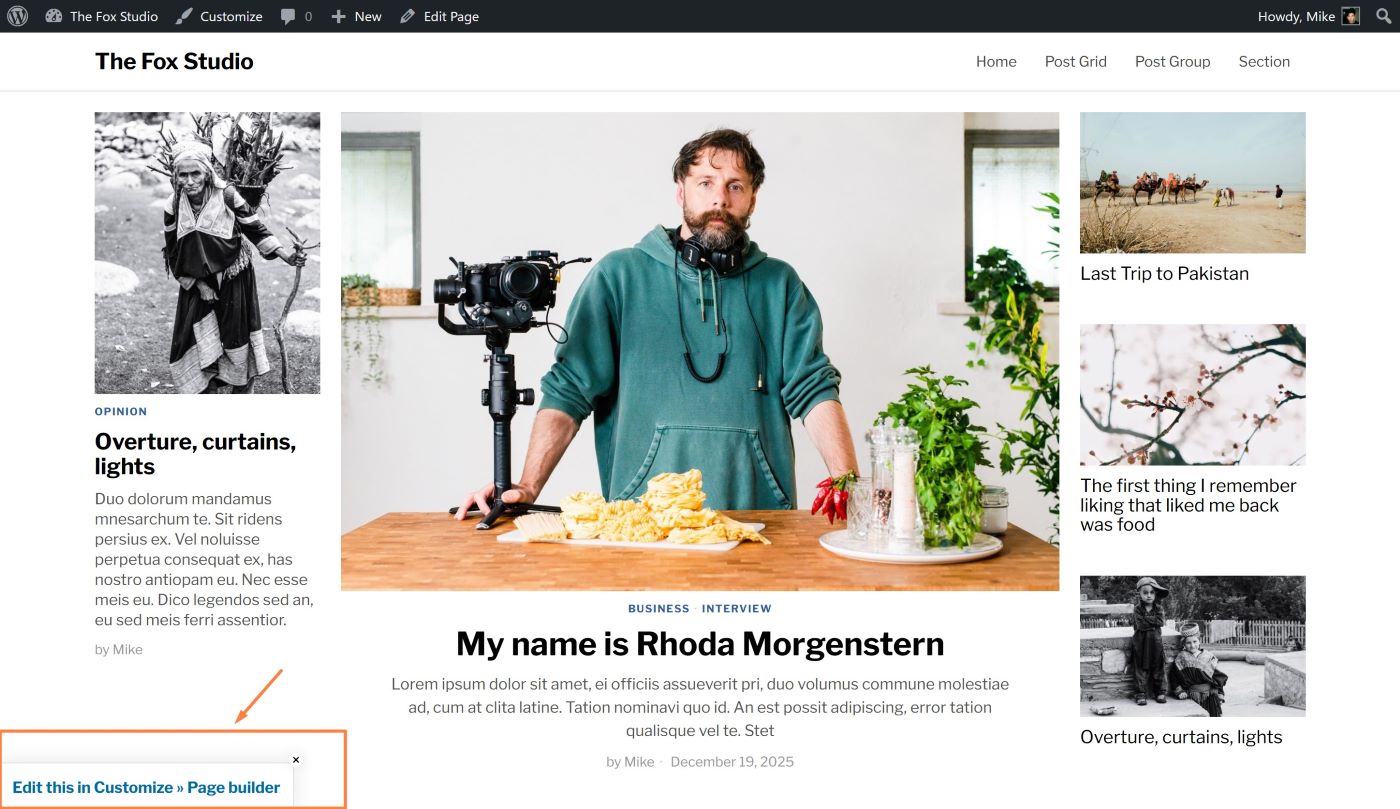
Step 2: Visit your page, you’ll see an edit link at the bottom left corner. That edit link is available only for pages having template “Page builder”. Click there then you can start editing your page with the builder in Customizer.
How to use The Fox Studio?
The Fox studio will be a directory of templates. Each template is in fact a *json file that you can import in your Builder. Here’s the guide to import a *json file.